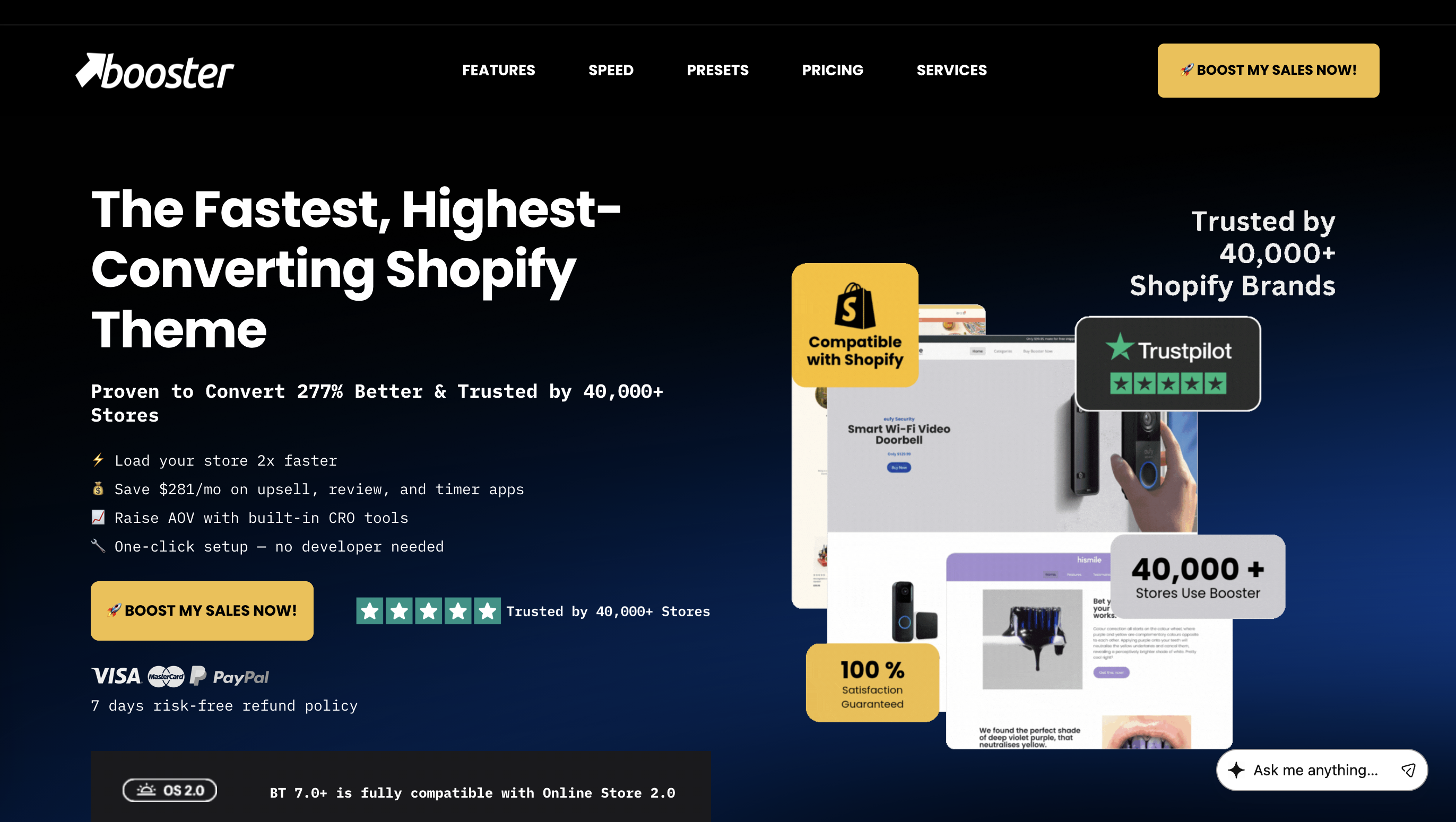
If you have spent any time researching Shopify themes for a high-converting store, you have almost certainly come across Booster Theme (boostertheme.com). It is one of the most talked-about premium Shopify themes on the market — and also one of the most debated. Supporters say it transformed their store's conversion rate overnight. Sceptics question whether it truly replaces the need for third-party apps, or whether the price tag is justified.
In this in-depth Booster Theme review, I break down everything you need to know: what it actually does, who it is built for, how it stacks up on speed, which built-in tools genuinely save you money, what the real pricing looks like, and where it falls short. After working with this theme across multiple client stores and testing it against alternatives, here is my honest take.
1. What Is Booster Theme?
Booster Theme is a premium, third-party Shopify theme sold exclusively through boostertheme.com. It is important to clarify this upfront: Booster Theme is not listed on the official Shopify Theme Store, and it is not the same as the "Boost" theme that Shopify does list. There are also unrelated "Booster" themes on ThemeForest — none of which are this product.
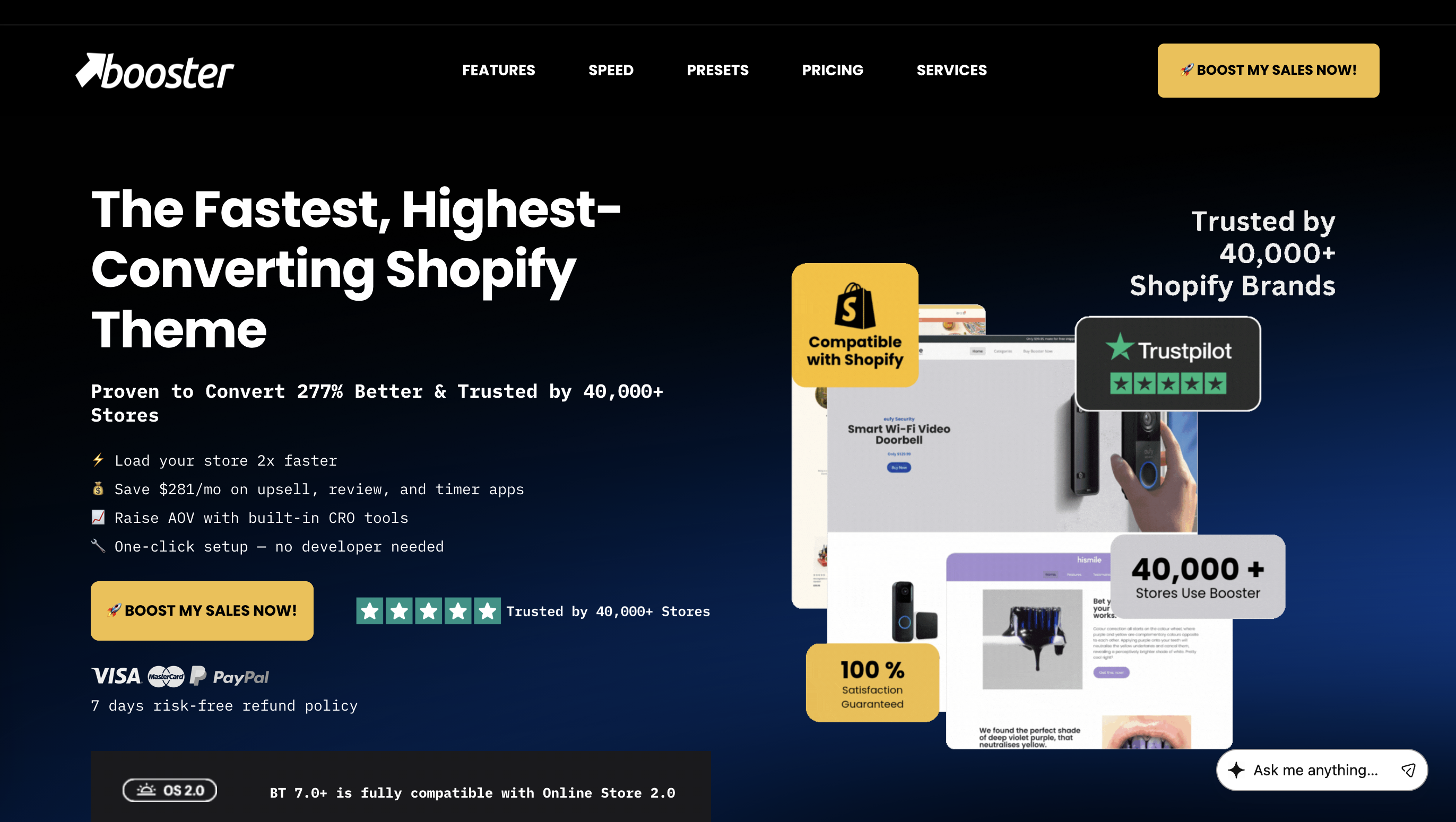
The Booster Theme sold at boostertheme.com is a conversion-focused, all-in-one Shopify theme that bundles more than 40 built-in marketing and CRO (Conversion Rate Optimisation) tools into a single theme package. Rather than relying on a stack of third-party Shopify apps for features like countdown timers, upsell popups, currency converters, and social proof notifications, Booster integrates all of these natively into the theme itself.
The result, in theory, is a faster-loading, more cohesive store experience — with far fewer monthly app fees eating into your margin.
Since launching, Booster has been adopted by over 40,000 Shopify stores worldwide. The brand claims their theme converts 277% better than standard Shopify themes, though this figure should be understood as a benchmark across their user base rather than a guarantee for any individual store. What is less debatable is the number of merchants who continue renewing their licence year after year — a strong signal of sustained ROI.
2. Who Is Booster Theme Built For?
Booster Theme is not a one-size-fits-all solution, and understanding its target audience is key to knowing whether it fits your business.
It is an excellent fit for:
- Dropshippers and direct-to-consumer product sellers who need urgency, scarcity, and upsell mechanics to drive impulse purchases
- Shopify store owners scaling to multiple markets who need currency conversion, geo-personalisation, and multi-language support built in
- Non-developers who want a complete marketing toolkit without managing a complex app stack
- Stores selling across Facebook, Instagram, and TikTok where mobile-first shopping journeys are the norm
- App-heavy stores looking to consolidate — if you are currently paying for a countdown timer app, a social proof app, an upsell app, and a currency converter, Booster can replace all four in one
It is less suited for:
- Minimalist or editorial brands that rely on clean whitespace, long-form storytelling, or high-fashion aesthetics — Booster's default templates lean conversion-first, which can feel commercially aggressive out of the box
- Beginners on very tight budgets who are not yet generating consistent revenue and may not recoup the licence cost quickly
- Merchants who need granular per-app control — Booster's built-in tools are solid but may not match every specialised configuration that a dedicated app provides
3. Key Features: What You Actually Get
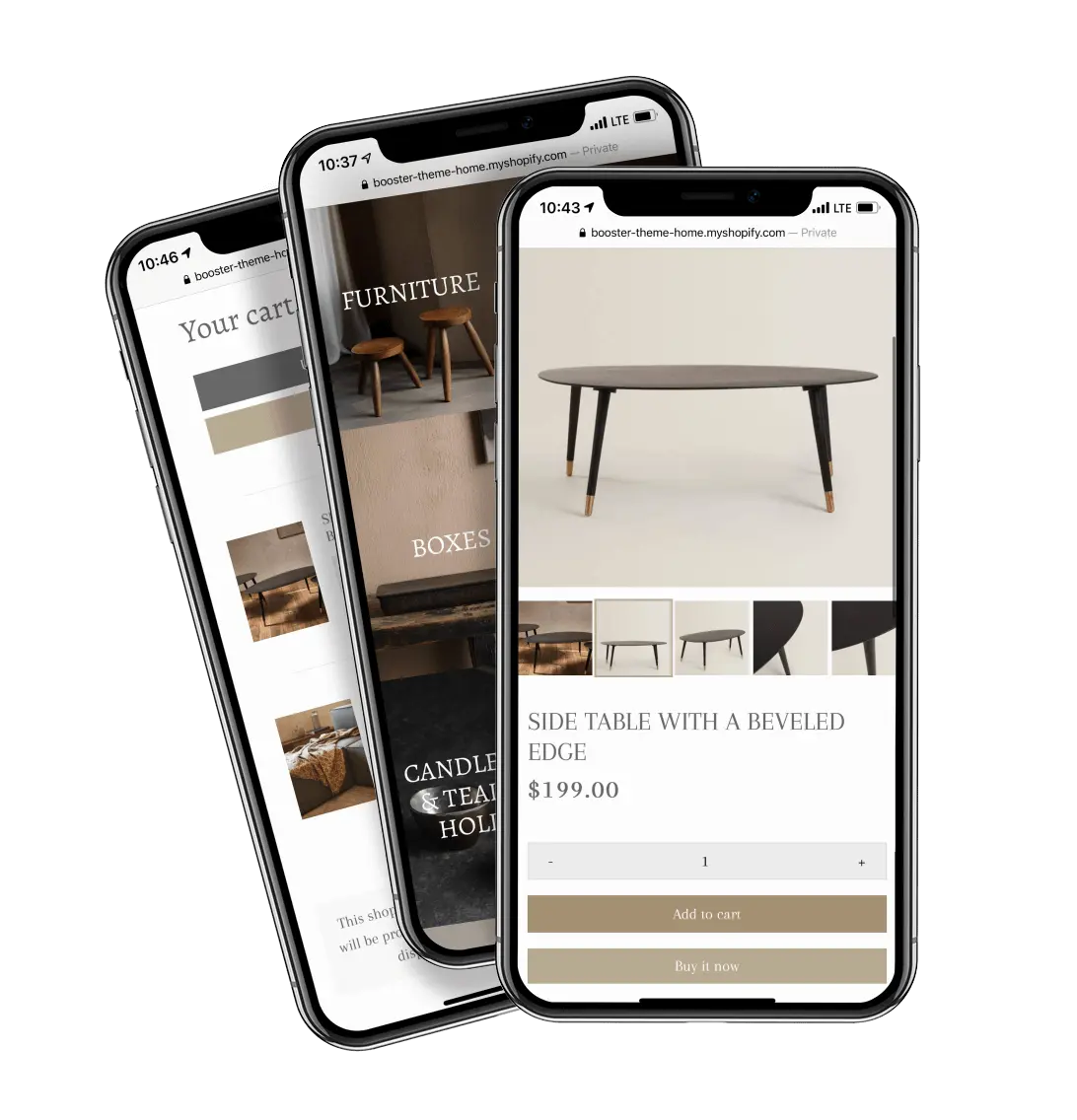
This is the core of any honest Booster Theme review. The theme bundles more than 40 built-in features. Here are the most impactful ones:
Urgency & Scarcity Tools
- Countdown Timer: A customisable timer that creates purchase urgency on product pages, cart pages, or site-wide. Ties directly into product pages without the need for a separate app.
- Stock Left Bar / Low Stock Indicator: Displays remaining inventory to trigger scarcity-driven decisions. Effective for high-demand products but should be used responsibly.
- Recently Bought Notifications: Social proof popups showing that other customers are actively purchasing. These are the small notifications you see at the bottom-left of many dropshipping stores — Booster builds them in natively.
Upsell & Cross-Sell
- Product Upsell: Prompts customers to consider upgraded or premium versions of what they are viewing. Amazon-style logic, built into the theme.
- Cross-Sell / Related Products: Surfaces complementary products during the shopping journey, proven to increase average order value (AOV).
- Cart Upsell: Triggers a relevant offer directly in the cart before checkout, one of the highest-converting moments in the customer journey.
Checkout Optimisation
- Direct to Checkout (Buy Now button): Bypasses the cart page and sends customers straight to checkout. Reduces friction and abandonment for impulse purchases.
- Sticky Add-to-Cart Button: Keeps the "Add to Cart" button visible as the customer scrolls down a product page. Independent tests consistently show this improves conversion on mobile.
- GDPR Cookie Bar: A built-in compliance tool for European customers, avoiding the need for a separate compliance app.
International Selling
- Currency Converter: Automatically detects a visitor's location and converts prices into their local currency. Shopify's native currency conversion is limited; Booster's built-in tool is more flexible and eliminates the need for a $10/month app.
- Geo-Personalisation: Allows content blocks, text, and scripts to be targeted based on a visitor's geographic location. Useful for showing region-specific offers, shipping messaging, or trust badges.
Design & Merchandising
- LookBook: Instagram Shopping-style shoppable image grids where product dots lead directly to purchase. Ideal for fashion, lifestyle, and home décor brands.
- Product Tabs: Organises product information (size guides, care instructions, shipping details) into clean tabbed sections, reducing page clutter.
- Variant Image Selector: AliExpress and Amazon-inspired variant display, allowing customers to click swatches rather than scrolling through a dropdown — a small UX change that meaningfully reduces friction.
- Video Integration: Embed product videos directly on product pages without a third-party video widget.
- Image Protection: Prevents right-click saving of store images and product photos — a helpful feature for brands with proprietary product photography.
Technical
- Lazy Loading: Images and theme components load only when the user scrolls to them, reducing initial page load weight and improving PageSpeed scores.
- Automatic Image Optimiser: Compresses and formats images on the fly, reducing bandwidth without manual file preparation.
4. Speed & Performance
Speed is a conversion factor, not just a technical metric — Google's Core Web Vitals directly connect load time to both SEO ranking and checkout abandonment rates.
Independent testing of Booster Theme showed a 1.1-second load time and a 98 performance score on desktop. Mobile performance is consistently strong as well, driven largely by the lazy loading implementation and clean, unified codebase.
The key performance argument for Booster is architectural: every app you install on a Shopify store injects additional JavaScript and CSS into your page load. A store running separate apps for upsells, timers, social proof, and currency conversion is loading four separate codebases. Booster consolidates all of these into one unified theme file, eliminating the redundant code overhead that typically slows app-heavy stores.
In practice, this means a Booster store with all conversion features enabled can still load faster than a standard free theme running just three or four basic apps. This is one of the strongest real-world advantages of the all-in-one approach.
👉 Explore Booster Theme at boostertheme.com
5. Design & Customisation
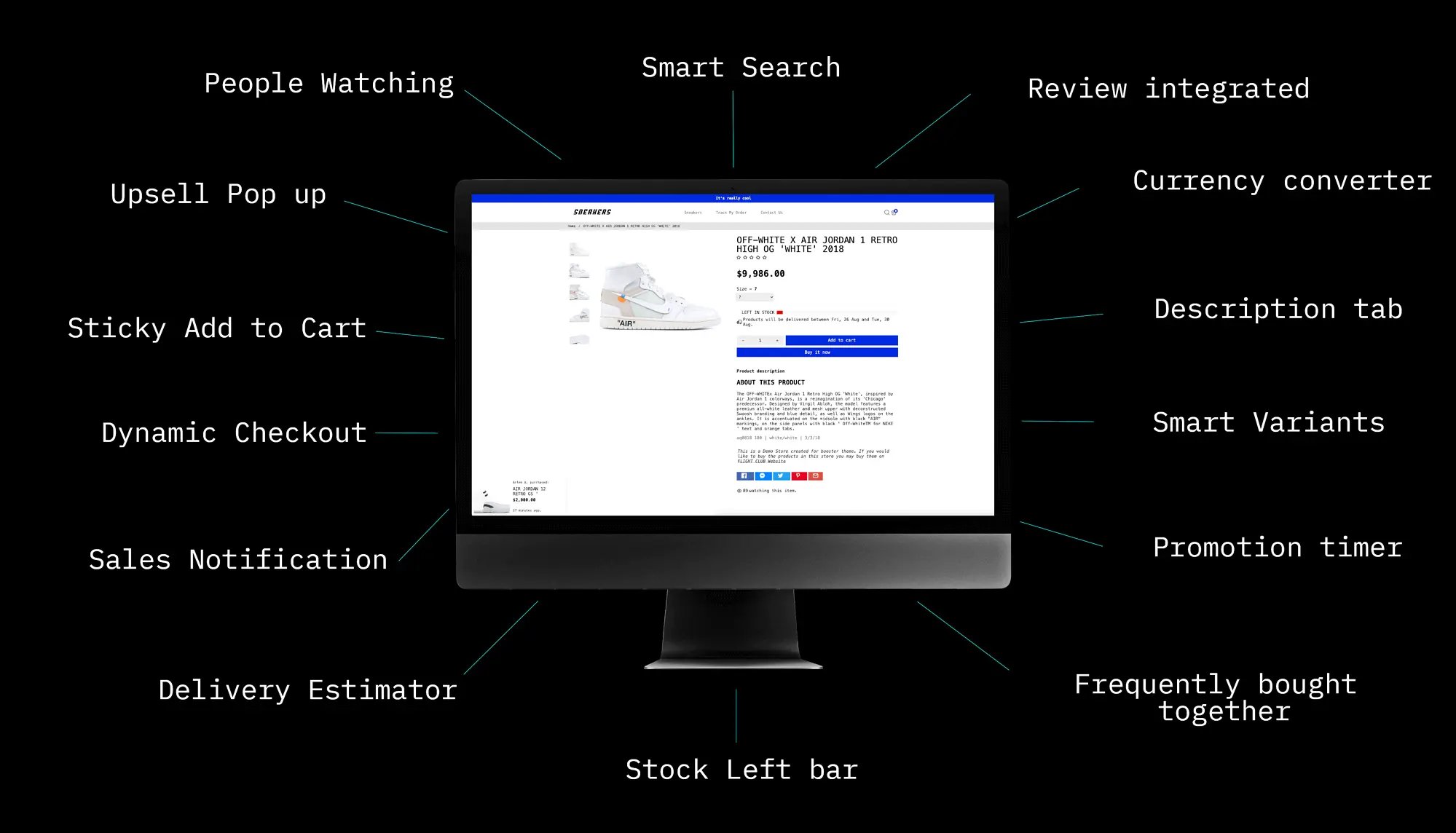
Booster Theme comes with over 80 pre-built design presets covering a wide range of niches: fashion, health and wellness, electronics, food and beverage, beauty, sports, industrial, home goods, and more. Each preset gives you a starting visual framework that you can then customise further inside the Shopify theme editor.
Customisation is drag-and-drop. Most Booster features are structured as "blocks" that can be repositioned anywhere on the page — if you want the product price above the title, or the trust badges between the description and the Add to Cart button, you can set that up without touching code.
One honest note on design: Booster's default aesthetic is commercially oriented — it is built to sell. If your brand identity is built around editorial whitespace, minimalist luxury, or immersive storytelling, you may find the defaults feel aggressive. The customisation tools are capable enough to pull back from that, but it requires intentional effort. Brands like Insta Buddha and City Bonfires have built strong visual identities using Booster, demonstrating that the theme can be adapted well beyond its defaults.
6. Shopify OS 2.0 Compatibility
A previous criticism of Booster was that it lagged behind Shopify's Online Store 2.0 architecture, which introduced drag-and-drop sections across all page types (not just the homepage) and a more flexible metafield system. That gap has been closed.
Booster Theme is now fully compatible with Shopify Online Store 2.0, meaning you get:
- Sections on every page type, not just the homepage
- Shopify's native metafields for dynamic product content
- Compatibility with Shopify's theme editor across all templates
- Access to Shopify's growing ecosystem of OS 2.0-native apps
The Booster team publishes a public changelog at boostertheme.com/theme-updates, which is worth bookmarking. Monthly updates cover new features, design improvements, and bug fixes — and all new versions are included with your purchase. Transparency like this is genuinely uncommon among third-party theme developers.
7. Pricing: Annual vs Lifetime
Booster Theme offers two purchasing options, both covering a single-store licence:
Annual Plan — $199/year
- Full access to all features and customisations
- Continuous theme updates
- Ongoing technical support for the duration of your subscription
- Unlimited visitor traffic
Lifetime Plan — $299 one-time
- Full access to all features and customisations
- Lifetime theme updates
- Technical support included for 12 months (after which updates continue but support ends)
- One store licence
The lifetime plan is the better long-term value for stores with stable, ongoing operations. At $299 once versus $199 every year, you recover the premium after less than two years of operation. Multi-store owners should note that each licence covers one store — additional licences require additional purchases, though bundle pricing is available.
One important clarification: Booster is not sold on the Shopify Theme Store. Purchases are made directly through boostertheme.com, using Visa, Mastercard, American Express, or PayPal. Booster offers a 7-day money-back guarantee — if the theme does not work for your store within that window, a full refund is available by contacting the support team.
8. Does Booster Really Save You $281/Month on Apps?
This is the claim that appears on the Booster homepage, and it deserves an honest breakdown rather than a marketing endorsement.
The $281/month figure is based on replacing a common stack of Shopify apps with Booster's built-in equivalents. A typical conversion-focused app stack might include:
- A countdown timer app (~$10–15/month)
- A social proof / recently-viewed notifications app (~$15–20/month)
- A currency converter app (~$10/month)
- An upsell and cross-sell app (~$20–30/month)
- A product reviews integration (~$15/month)
- A sticky cart app (~$9/month)
That is $79 to $99/month at a conservative estimate, or $948–$1,188/year. A more aggressive stack with premium-tier apps can easily hit the $200–$280/month range the company references.
The key condition: you only realise these savings if you actually remove the existing apps after installing Booster. Stores that install Booster but keep their app stack running gain the performance cost of running both, without the financial savings. If your goal is to consolidate, Booster delivers real, measurable savings. If you are installing it as an addition to an existing stack, the value proposition weakens considerably.
For an app-heavy store generating consistent revenue, switching to Booster and removing redundant apps is one of the highest-ROI optimisation moves available on Shopify.
9. Customer Support & Community
Booster's support team operates primarily through live chat, Facebook Messenger, and email, with availability across seven days a week. The team is largely based in the Eastern European time zone and operates during standard business hours Monday to Friday.
Real user experiences consistently praise the responsiveness and technical knowledge of the support team. One verified user noted that the team "bent over backward" to resolve integration issues with third-party apps. Another described support as "A++" and specifically singled out individual team members by name — a reliable signal that the support interactions feel human rather than scripted.
Response time is typically within 24 hours, with the team asking for up to two business days during busy periods.
A published help centre and tutorial video library cover most common setup and customisation questions. For more complex scenarios — particularly around custom code modifications or edge-case app conflicts — hiring a Shopify expert to complement Booster's native support may be worthwhile.
Booster also publishes its update changelog publicly, an uncommon level of transparency in the third-party theme market that benefits store owners planning long-term technical roadmaps.
👉 Explore Booster Theme at boostertheme.com
10. Pros and Cons
What Booster Theme Does Well
- All-in-one conversion toolkit that genuinely reduces dependency on third-party apps
- Faster load times due to unified, clean codebase vs a stack of app scripts
- 80+ niche-specific presets covering most e-commerce verticals
- Full Shopify OS 2.0 compatibility with drag-and-drop across all page types
- Strong mobile optimisation — not just responsive, but built mobile-first
- Transparent changelog and regular monthly updates
- 7-day money-back guarantee on all purchases
- 7-day-a-week support with consistently positive user feedback
Where Booster Theme Falls Short
- No free trial — the 7-day money-back guarantee requires purchasing first
- One licence per store — multiple-store operators face compounding costs
- Design defaults lean heavily commercial — may require significant customisation for premium or editorial brand identities
- Lifetime plan support ends after 12 months — ongoing access to the support team requires the annual plan
- Not on the Shopify Theme Store — some merchants prefer the ecosystem trust of official listings
- Overusing built-in urgency tools can make a store feel spammy — these features require strategic deployment, not blanket activation
- Saturation risk — with 40,000+ stores using the same theme, visual differentiation requires deliberate customisation effort
11. Booster Theme vs Alternatives
Booster vs Debutify: Debutify offers a free plan and more affordable entry points, making it more accessible for early-stage store owners. However, Booster's conversion toolkit is more comprehensive, and its lifetime support model differs — Debutify provides lifetime support on all plans, while Booster's lifetime licence only includes 12 months of direct support.
Booster vs Shopify Theme Store options: Official Shopify themes offer tighter integration guarantees, a one-time purchase model, and Shopify-backed support. However, they typically lack Booster's depth of built-in CRO tools, requiring app purchases to achieve comparable functionality.
Booster vs building an app stack manually: A custom app stack gives maximum flexibility and specialisation per tool. The trade-off is higher monthly cost, slower page load due to multiple code injections, and more management overhead. For stores prioritising performance and operational simplicity, Booster's consolidation model often wins on balance.
12. Frequently Asked Questions
Q: Is Booster Theme available on the Shopify Theme Store? No. Booster Theme is sold exclusively through boostertheme.com and is not the same as the "Boost" theme listed on the official Shopify Theme Store.
Q: How many stores can I use one Booster licence on? Each licence covers one Shopify store. If you need to move the licence to a different store, this can be managed through the Booster Central User Panel. Additional stores require additional licences.
Q: Does Booster Theme work with Shopify Online Store 2.0? Yes. Booster is fully compatible with Shopify OS 2.0, including sections on all pages, metafields, and the Shopify theme editor interface.
Q: Is there a free trial for Booster Theme? No free trial is available. Booster offers a 7-day money-back guarantee — purchase the theme, test it in your store, and request a refund within 7 days if it is not the right fit.
Q: Will I need to keep paying after the lifetime plan purchase? No recurring fee applies to the lifetime plan. You receive all future theme updates at no additional cost. Technical support is included for the first 12 months after purchase.
Q: Can Booster Theme replace all my existing Shopify apps? It depends on your stack. Booster replaces common conversion apps (timers, social proof, upsells, currency conversion, sticky cart), but does not replace specialised tools like advanced email marketing platforms, loyalty programmes, or subscription billing apps.
Q: What niches work best with Booster Theme? Booster performs particularly well for dropshipping, direct-to-consumer physical products, health and wellness, fashion, electronics, and any category where urgency and social proof drive purchase decisions.
13. Final Verdict: Is Booster Theme Worth It?
After using Booster Theme across real client stores and tracking its impact on conversion metrics and operational costs, the conclusion is nuanced but ultimately positive — with important conditions attached.
For a scaling Shopify store that already spends $50–$200/month on conversion apps, switching to Booster is one of the highest-ROI moves available. The app savings alone justify the cost within a few months, and the performance improvement from consolidating code into a single theme is a real, measurable benefit. The OS 2.0 upgrade removed the previous customisation ceiling, and the built-in marketing toolkit remains unmatched in depth among all-in-one themes.
For an early-stage store not yet generating consistent revenue, the $199/year investment requires confidence in your product-market fit first. Booster is a performance accelerator, not a foundation — the fundamentals of your offer, traffic, and fulfilment need to be solid before a theme can meaningfully move the conversion needle.
The honest caveat: use the tools strategically, not all at once. Enabling every urgency feature simultaneously makes a store feel like a countdown-to-everything experience, which erodes the trust the theme is meant to build. Two or three well-placed tools — a countdown timer on a sale product, a sticky cart, and a currency converter for international traffic — tend to outperform a fully activated toolkit.
If your store is ready for it, Booster Theme is a legitimate, well-maintained, and genuinely useful investment.
👉 Explore Booster Theme at boostertheme.com
Disclosure: This review is based on hands-on testing, publicly available performance data, and verified customer feedback. The author has not received free access or compensation from Booster Theme for this review.